Top 10 Tips for Optimizing Your Zebra Label Printer for Better Efficiency
In today’s fast-paced business environment, maximizing efficiency in operations is crucial, and utilizing a well-optimized Zebra label printer can significantly enhance productivity. Label printers play a vital role in various industries by streamlining labeling processes, reducing operational bottlenecks, and ensuring accurate information dissemination. However, many users may not fully utilize the capabilities of their Zebra label printer, leading to missed opportunities for efficiency gains.
This article will explore the top 10 tips for optimizing your Zebra label printer, ensuring that your labeling tasks are performed with the utmost effectiveness. From adjusting print settings to implementing proper maintenance routines, these strategies aim to not only improve the performance of your printer but also to enhance the overall workflow within your organization. By following these recommendations, you can elevate your labeling operations and create a smoother, more responsive work environment that meets the demands of today’s market. Discover how these simple adjustments can bring about significant improvements and help you get the most out of your Zebra label printer.
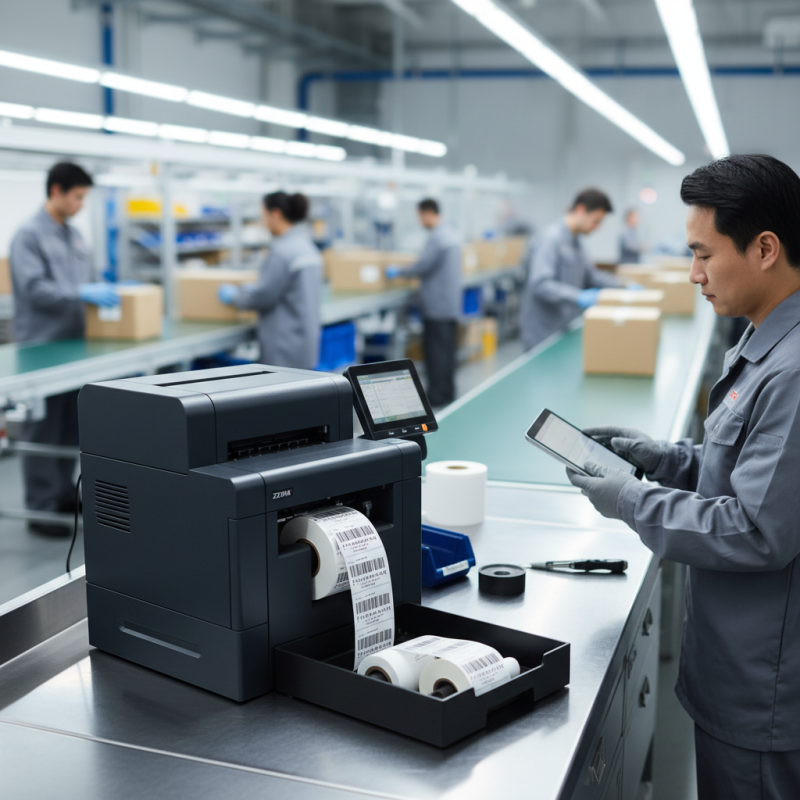
Understanding Your Zebra Label Printer's Features for Optimization
Understanding the features of your label printer is crucial for maximizing its efficiency and productivity. Start by familiarizing yourself with the printer’s resolution and print speed settings. Higher resolution settings can enhance the clarity of barcodes and text, making them more scannable, while adjusting the speed can help manage ink usage and extend the printer's lifespan. Additionally, many printers offer various media types and sizes, allowing you to customize your output based on the specific requirements of your labels.
Another important aspect to consider is connectivity and software integration. Ensure that your printer is configured to work seamlessly with your existing systems, whether that involves direct connections, network settings, or wireless capabilities. Utilizing advanced software can streamline the printing process, offering design tools and automation features that save time. Regularly updating your printer's firmware and drivers can also improve performance, ensuring that you have access to the latest features and enhancements. Taking these steps will not only optimize your printing operations but also contribute to overall business efficiency.
Regular Maintenance Practices to Enhance Printing Efficiency
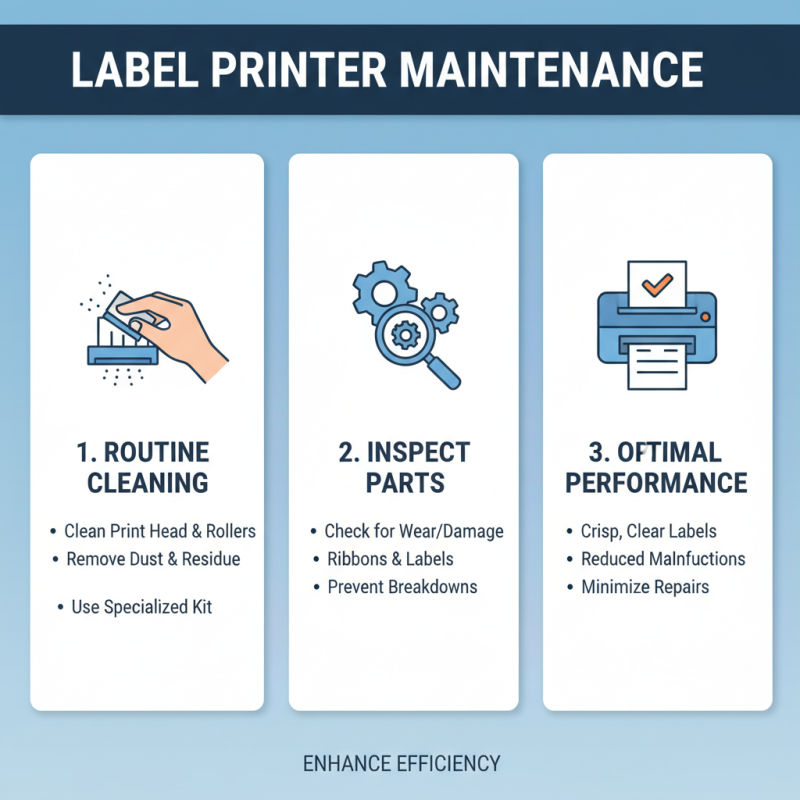
Regular maintenance practices are essential for enhancing the efficiency of label printers. One of the most effective ways to ensure optimal performance is through routine cleaning. Dust and residue can accumulate on the print head and rollers, which can affect print quality and lead to printer malfunctions. Utilizing a specialized cleaning kit can help remove these deposits, ensuring crisp and clear labels while minimizing the need for costly repairs. Additionally, regularly inspecting the printer for any worn or damaged parts, such as ribbons or labels, can prevent sudden breakdowns and avoid interruptions in your printing process.
Another important aspect of maintenance is software updates. Manufacturers often release updates that fix bugs, improve performance, and even add new features. Keeping the firmware and driver software up to date ensures that your printer operates efficiently and takes advantage of the latest enhancements. Furthermore, regularly calibrating the printer for different label sizes and types helps maintain consistent print quality and reduces waste, leading to a more efficient operation overall. By dedicating time to these maintenance practices, users can enjoy a streamlined printing experience and enhance their label printer's longevity.
Choosing the Right Label Design for Maximum Productivity
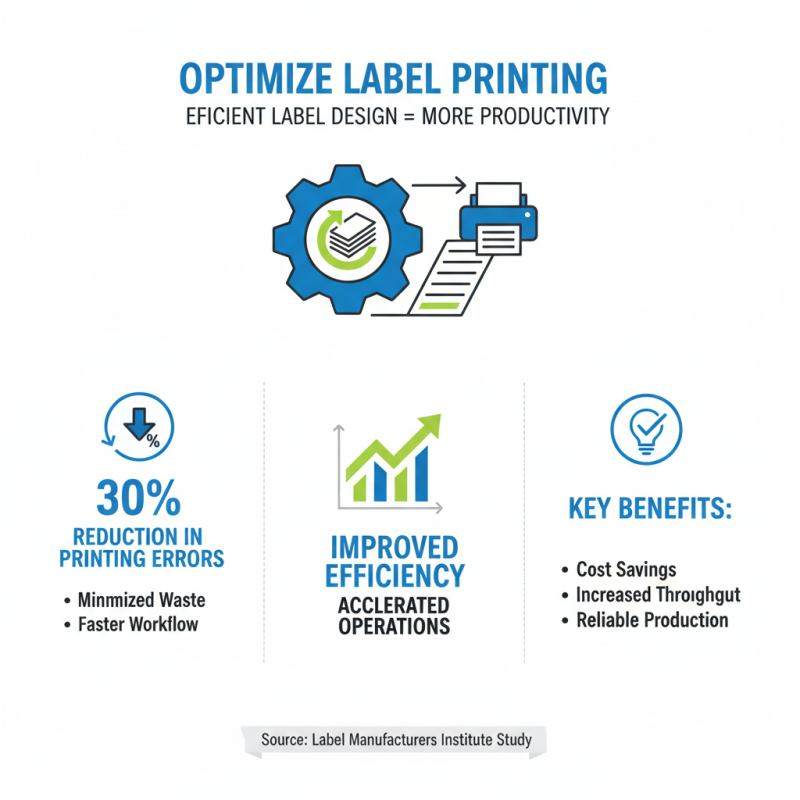
When it comes to optimizing your label printing process, choosing the right label design plays a crucial role in maximizing productivity. According to a recent study by the Label Manufacturers Institute, efficient label design can reduce printing errors by up to 30%. This improvement not only minimizes waste but also accelerates the overall workflow, leading to more efficient operations.
Effective label design should focus on clarity and functionality. Utilizing clear fonts and organized layouts ensures that important information is easily readable, reducing the time spent on identifying and processing items. Research from the Printing Industry Association suggests that well-designed labels can enhance inventory accuracy by 20%, which is vital for businesses aiming to streamline their supply chain processes. By prioritizing high-contrast colors and incorporating scannable barcodes, companies can optimize their labeling systems to support faster check-in and check-out processes, ultimately translating to improved customer satisfaction and reduced labor costs.
Configuring Printer Settings for Optimal Output Quality
To achieve optimal output quality from your label printer, it is essential to carefully configure its settings. Start with the resolution settings; printing at a higher DPI (dots per inch) will result in sharper images and text. However, be mindful that higher resolution can also slow down the printing process and consume more ink. Balance is key: select a resolution that meets your specific needs for clarity without sacrificing efficiency.
Furthermore, consider the media type setting, as different materials may require unique printing parameters. Adjusting the media type helps the printer apply the right amount of heat and speed, ensuring the labels adhere properly and maintain their quality over time. Regularly calibrating the printer will allow for consistent performance, particularly when using various label stocks. Additionally, conducting routine maintenance, such as cleaning the print head and replacing worn parts, will significantly enhance print quality and prolong the life of the printer.
Top 10 Tips for Optimizing Your Zebra Label Printer for Better Efficiency
Utilizing Proper Supplies for Improved Performance and Longevity
When it comes to optimizing your label printing process, using the right supplies is essential for enhanced performance and longevity. Choosing high-quality labels and ribbons specifically designed for your printer model can significantly reduce operational issues and improve print clarity. Ensuring compatibility between your printer and supplies will not only yield better prints but will also extend the lifespan of your equipment. Regularly checking and replenishing your supplies ensures that you are prepared for any high-demand printing tasks that may arise.
In addition to selecting the proper materials, maintaining your printer is critical. Regularly cleaning the printer components such as the printhead and rollers will help prevent issues like smudging and misalignment. This simple maintenance step can save considerable time and resources, allowing for smoother operation and fewer disruptions in your workflow. Another key tip is to adjust the printer settings according to the type of label you are using. This customization can enhance the quality of your prints and help in achieving the desired output more efficiently.
By focusing on the right supplies and maintenance practices, you can maximize the efficiency of your label printer while ensuring that it operates at its best for years to come.